


i3 Keypad
Set the room, set the scene. The new i3 Keypad Programmable Light Switch lets you control multiple fixtures within the same room or across the house from one location.
Consider combining this keypad with our i3 Smart Dial Switch for a versatile switch that can be set as either an on/off or dimmer and combines great with the i3 Keypad.
Often Bought Together


Scene controller

Can be set as a dimmer or on/off switch

Works With...Everything
The Insteon i3 Keypad can be linked to a vast array of devices within the Insteon ecosystem
Compatible with switches, other keypads, sensors, remotes, plugs, outlets plus more!

Dimmer? On/Off? You Decide
The versatile device can be set as a dimmer or on/off at the switch itself or within the Insteon mobile app

Rock-Solid Range & Reliability
Unlike other connected home switches that use Wi-Fi or other radio-only signals, Insteon utilizes a patented dual-band (power lines + wireless radio) mesh technology for 100% home coverage
What does that mean? It just works

Simple Installation & Set Up
Replaces a standard wall switch and can be linked to other devices at the push of a button
No hub, app, or Wi-Fi required!
Next-Level Control & Convenience
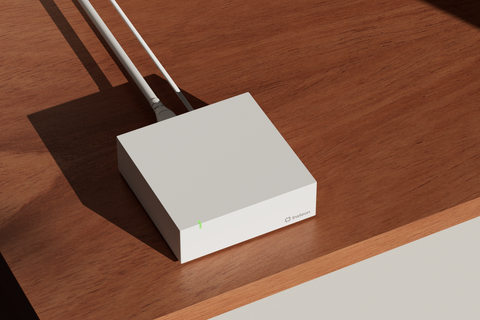
The Insteon Hub, together with our Director mobile app, gives you access to easier set up and editing of devices and scenes, setting schedules, and adding device-specific notifications
And get voice control with Amazon Alexa and Google Home
Scenarios
See some of the ways you can use the i3 KeypadWith the keypad wired to a fountain and the other buttons linked to Insteon plug-in dimmers and switches, you can turn on your outdoor fountain and living room lamps all from your keypad.
Set the mood with scenesOne of the most powerful features of Insteon switches, scenes let you control multiple devices simultaneously with a single tap. With one tap, turn on all of the lights in an entire room with pre-set brightness levels and and ramp speed rates
Endless multi-way optionsTraditional multi-way switches use traveler wires to allow two or more switches to control a single light fixture. Insteon devices let you create virtually create multi-switch environments between any number of switches, keypads, mini-remotes and more
More than just a controllerInsteon switches can respond to schedules, sensors, mini-remotes, keypads, and other switches. Have your front porch lights on from sunset to midnight, have a motion sensor turn on the garage light when you arrive home, or use a mini-remote to turn off a bedside lamp without having to get up from bed.


Essential info
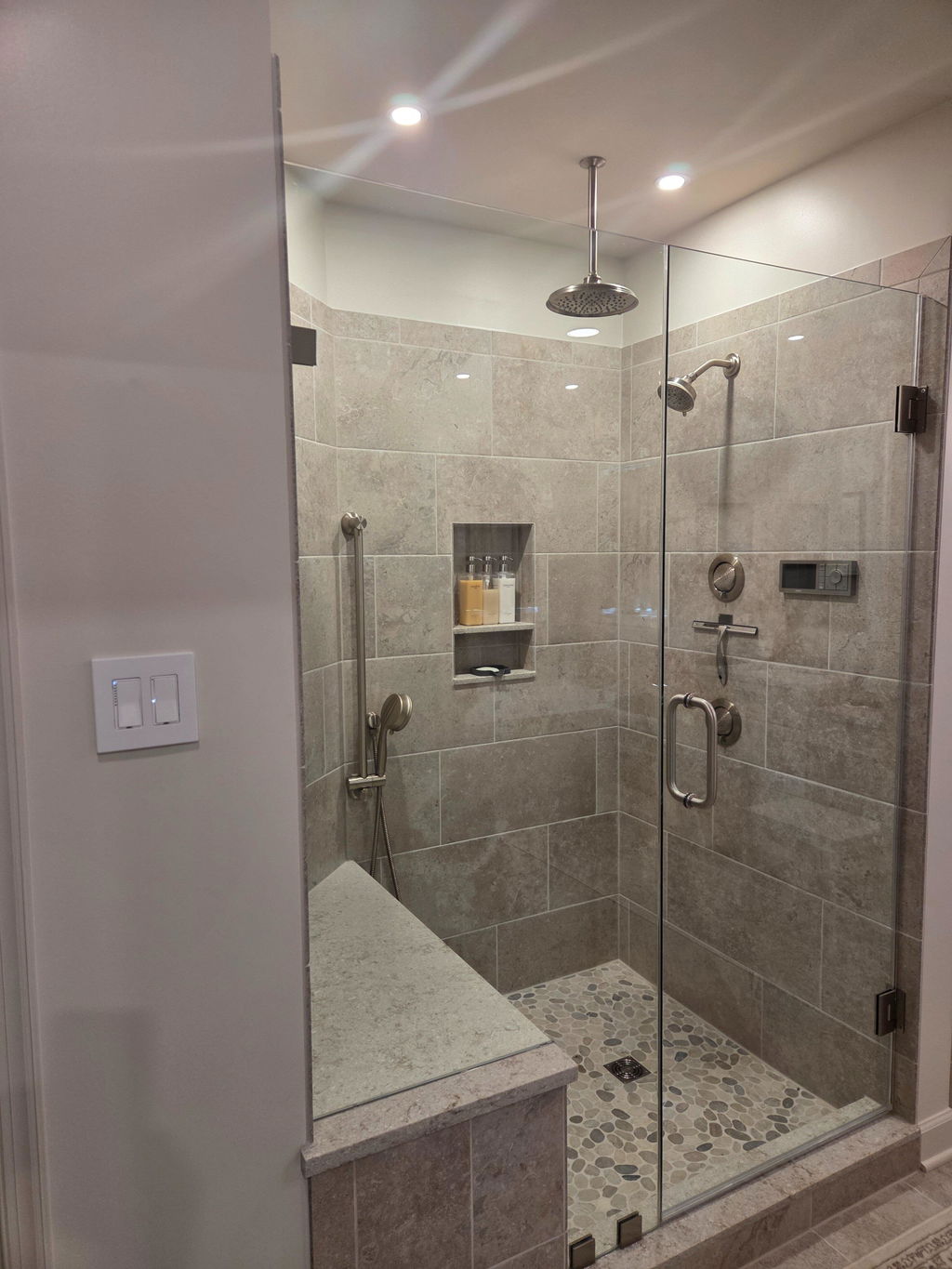
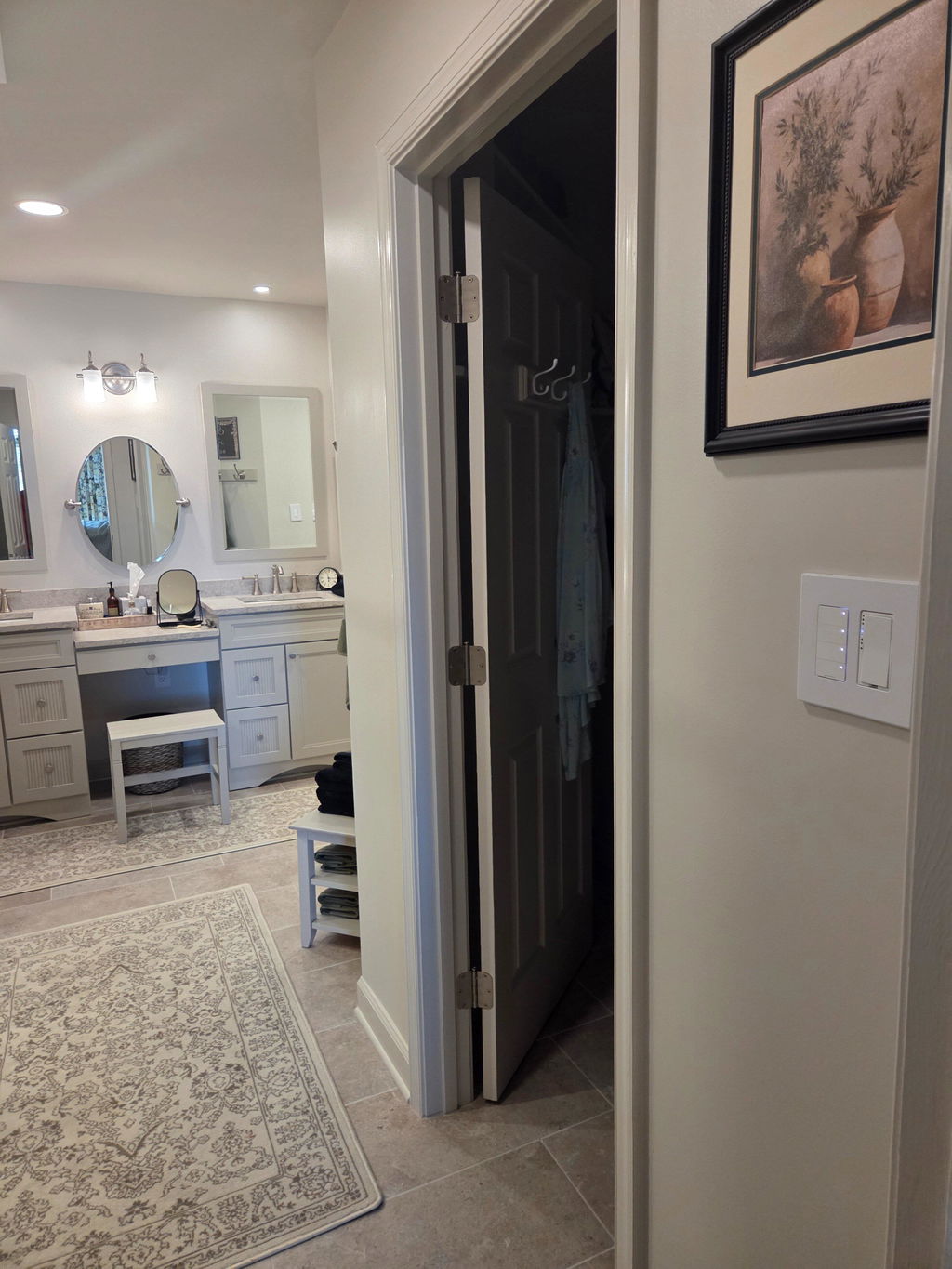
We just remodeled our bathroom and there are separate switches for the sinks, vanity, shower and tub. While each location has its own switch, having this keypad near the door allows control of all the lights from one location without having to have a massive 4-gang box near the door.
I use the i3 Keypad to set different levels of 6 dimmers in my TV room. It works well with my ISY controller although I wish there was a way to replace the rocker paddles with engraved paddles.
I’m very happy with this device.
My original device was defective and your support team replaced that unit. Not that I wanted the unit to fail, but it was great experiencing your support and replacement policy first hand, great job!
The instructions are inadequate and the device is complex. For something like this you should be using a Hub or EISY. Assuming your install goes well you should see 4 new entites on the network. They will not all look identical - the first has a different appearance from -2, -3 and -4. You can assign each as a controller by drag and drop. If you get something wrong it will not be explicit about what is wrong. Another problem: it has a problem fitting within a standard Lutron wall plate (the kind that sticks out), particularly if the plate is slightly stressed to fit to the wall, and it would benefit from a 1/2 mm trim all around so that all 4 buttons can be pressed from either side. When working it is good but I am seeing "/TEST/I3 KEY FLAGS" on the EISY device list which means nothing to me. It doesn't appear to convey useful information and just clutters the device list.
Not at all programmable like the older keypads
Programming/linking would not be any different compared to the legacy 6-button and 8-button keypads. Please contact support@insteon.com if you haven't done so already as we're always here to help.
This was my first time using this switch. I wanted to read a little more about how it works, but when I tried to use the “Learn More” button on the website, it says “Page not Found”. As a long time Insteon user, I went with what I knew from other keypads and it’s working fine. My UD-EISY made installation easy. There is a screen of things EISY shows, and I don’t understand everything, but at least it is working as I intended. First time using a device where the code was screen printed on (in very small letters) so spent time wondering what happened to the normal white sticker. Overall, the device seems to be a nice addition to the Insteon portfolio.
i3 Keypad is great for setting scenes. Controlling over 40 devices - some over 200 ft apart on 3 subpanels and everything works smoothly. Impressive....
We have been using a variety of these devices here on our farm, including the four button i3 controller. All their devices are not exactly low cost, but are exceptionally reliable.
By themselves these devices do not need additional hardware, but are relatively cumbersome to program and set up. We are not bothered by that too much, because there is a program that runs on otherwise unused Mac mini, that allows a complete control and set up of Insteon and other devices. Together with the corresponding interfaces, that computer becomes a programmable hub where no additional hardware is needed.
Because of the way that all Insteon modules communicate wirelessly and over the powerline, not only with the controller, but also with each other, the system becomes more and more reliable as more of these devices are installed. Therefore anyone wishing to control devices over greater distances and very reliably, without stringing a lot of wires for control, there is no better system on the market right now that we know of.
Sometimes the control message bounces around the network for several seconds, before that addressed device finally does what it is commanded to do. Therefore, if fast immediate control is needed, these modules may not work for your intended application.
Insteon is awesome… Only thing for their remotes two and four but remotes they need some kind of device that so it can be wall-mounted in a standard electrical plate
I started using Insteon products about 15-20 years ago. Made special areas to group all dimmer switches. I controlled most with my phone. My wife was always totally unhappy with “my smart home approach”. I had some mini remotes with 8 control buttons for my wife. Also had several 6-8 buttons in the wall installed. I recently started installing my first 4 i3 keypay which simplified life. I plan to replace all 6-8 buttons with this nice design and easy to use 4 button keypay.
I further started installing i3 paddle switches in rooms. No requiring needed and I placed them at convenient location to turn on lights in specific rooms. It works great and after years of criticism that no switches were available my whole family is extremely happy with these solutions. I still schedule certain lights on my phone and turn them on an off.
Keep going Insteon. I love your products
You deserve a 10 out of 10.
Johan.
Sleek and uncomplicated for anyone to use. Replacing a lot of older “multis” with this keypad.
I use it in Home Assistant environment and it works flawlessly
It is a dream
I used two Insteon keypads and 3 remote switches to replace an old Leviton X10 system. My application calls for the two keypads to control the same remote switches button for button, basically a ganged 3 way switch. The instructions were impossible to follow, but in the end I figured it out in my own. Once setup, they system works perfectly and reliably, unlike the Leviton system. I like the modern styling too!
Thank you for taking the time to leave a review for our i3 Keypad. We are glad to hear that you found our product to be awesome and that it was able to replace your old Leviton X10 system. We apologize for any difficulties you experienced with the instructions, and we appreciate your feedback. We will definitely take it into consideration for future improvements. We are happy to hear that you were able to figure it out on your own and that the system is now working perfectly and reliably for you.
Love this device! Now all you need is to create a human-hand sized 8-function wireless remote that holds a charge for 4 to 6 months. Not like that silly, terrible one you’ve been selling for years that’s too small to hold, easily gets lost and goes dead in a week. PLEASE DO THIS!!!!
The new keypads are pretty cool pairing is as easy as the other Smart controls, which is nice through Insteon did have trouble pairing the second switch to the keypad because it was on a different circuit. I guess there is no dual band on the new switches as soon as I rewired the switch to the same phase it paired no problem.
This is a very clean and attractive way to have control of four items or four scenes. I especially like that it has small lights that can be made to stay lit and they get brighter when the device is on so you could easily know whether they’re on or off Even if you’re not looking at the turned on device. I also like that you can have a sound activated for every time you push the button, helping you know that you pushed it correctly. Make sure you have a deep enough box to allow the wire twist nuts the space they need. 
The keypad works well. You must learn how to program it but Instead help desk quickly answered my questions. One note to be aware of is the keypad requires power with hot, neutral and ground wires. I live in a house built in the 50's.the location I wanted to use had the old, 2 wire, system. I moved it to an area that we renovated earlier and it had 3 wire power. It works perfectly and I was able to program it not only as a switch but also using scenes. Great product.
Top quality and a great look. Thank you for making this superior product available!
The i3 keypad was an easy, cost-effective solution to allow control of two On/Off DIN Rail devices used to control two remote heat tape systems. The DIN rail devices were used to actuate the power relays for the heat tape circuits. The schedule feature with Insteon "controller" devices allows for time-based control of the heat tape circuits.
Thanks for sharing!
Nice looking. Slightly larger than a normal switch (and older Insteon switches) at the area where you screw to the box , which creates makes it a bit harder to line up with other switches. Not the best feeldvack on button push either. A good step forward but in my opinion needs improvement.
This device has the feature that you can specify which button controls the directly connected load. However, this cannot be changed locally, you MUST purchase their hub in order to change this. Without the hub you have no idea which button will control the load until you hook it up. The strange part is that almost every other option is locally controllable.
It's a shame, as this device would be great for those that use more powerful home automation hubs (like the eISY).
Hi Michael, thanks for your candid feedback. We're sorry that the local load control button assignment is only software configurable and currently only available via Insteon Hub 2 and Director app. We have provided the developer documentation to third party developers such as those behind the eISY. We hope that they will expose this feature in future updates. Meanwhile, we will look into future feature to allow manual changing of load control.
We have included this disclaimer on the product page: Installs in place of a standard wall switch with a built-in switch for controlling a wired fixture in dimming or on/off mode - control assigned to button 1 but can be re-assigned to any other button with compatible software.
We have also included further disclaimer: i3 devices are supported using Insteon Hub 2 and the Director app. If you use a 3rd party controller, this device may not be supported and/or features may be limited as we work with those developer partners to support these new devices.
Thank you for your patience and understanding.
They respond very slow
Thank you for the review. Could you elaborate on how they respond slow?
I was eagerly waiting for this because I wanted an On/Off capable keypad (the older Insteon Keypad Link On/Off was not available - perhaps indefinitely). I also wanted fewer buttons.
I installed this unit in the wall - no problem! Powered right up. That's where I ran into trouble... the older Insteon Hub app does not recognize this device, but it is possible to add it manually by its Insteon ID, but I do not recommend this - it offers no way to configure its capabilities other than turning the load on and off. I installed the Director app and was relieved that upon login (never having used it before), it worked and recognized all my devices. I proceded to re-add the i3 keypad and the Director app recognized it. However... it only gave me the option to configure the load as dimmer or on/off and which keypad button to assign it to. There was no way (yet) to configure the other 3 buttons through the Director app - maybe that's coming.
I resorted to manually linking the other buttons with the other Insteon devices. There are directions to do this in the product offering. I do want to caution that I made a silly mistake in fiddling with the buttons (I've never manually linked Insteon devices before) and inadvertently managed to change the button modes from "Toggle" to "Always On". Fortunately the instructions from the older Keypad still seems to work to manually change the button modes. Here there are in case anyone needs to do this manually. But a software update to the Director app to configure the buttons and other modes is really needed (maybe it's there, I just didn't see it).
1) Tap the button you want to change
2) Press and hold KeypadLinc’s Set button until it beeps
The button’s LED will begin blinking
All illuminated LEDs on KeypadLinc will brighten to 100%
3) Press and hold KeypadLinc’s Set button a 2nd time until it beeps a 2nd time
The button’s LED will continue blinking
4) Press and hold KeypadLinc’s Set button a 3rd time until it beeps a 3rd time
The button’s LED will stop blinking
The button rotates to the next Button Mode in the cycle:
Toggle → Always Off
Always Off → Always On
Always On → Toggle
Hi William, thank you for your great review! The i3 product line is not supported in the older Insteon for Hub app as you mentioned. That app is no longer being worked on and so Director is what you and others should be using going forward.
Regarding button programming, we know it's not entirely intuitive, but to program the different keypad buttons, you need to create a scene in the Director app. During the scene creation process, you select one of the buttons as a director of the scene and then choose the actors. Those could be one or many different devices. Finally you choose the actor's behavior (On, Off, On at 50%, etc).
We will work to make this process more clear and also to build in the button modes you covered in your review.
Thanks for your support.
I've purchased several I3 Keypads and would like to purchase more. When will custom etching be available similar to the 6/8 button keypads.
Thanks
Rod
We are exploring the ability to offer in-house custom etching services at some point. In the meantime, we have an approved vendor who offers custom laser etching for the 6-button and 8-button keypads as well as the i3 Keypad. Please contact them directly for more information. https://domotinc.com/pages/insteon-1
Is there a way to customize the buttons with text like you can with the 6 and 8 button version?
We are very excited to announce we have a partner who is now taking orders for laser-etching on our i3 Keypads as well. Please visit Domotinc for more information: https://domotinc.com/pages/insteon-1
Do you have any estimate as to when the I3 devices will be compatible with Universal Devices eisy home controller?
Universal Devices new EISY controller does support i3 devices. Currently, their ISY994 product is not compatible with i3 devices. Feel free to contact them directly if you have any other questions. https://www.universal-devices.com/contact-us/